Ace your next backend interview with this comprehensive guide covering the event loop, streams, clustering, async patterns, Express.js, JWT authentication, caching, rate limiting, and graceful shutdown — everything interviewers actually ask.
Node.js is an open-source, cross-platform JavaScript runtime built on Chrome's V8 engine. It lets you run JavaScript outside the browser — on a server, your local machine, or any environment.
Key Differences from Browser JS:
// Browser JS — accesses the DOM
document.getElementById("app").textContent = "Hello";

// Node.js — accesses the file system
const fs = require("fs");
const data = fs.readFileSync("./hello.txt", "utf8");
console.log(data);

// Check your environment
console.log(process.version);  // e.g. "v20.11.0"
console.log(process.platform); // "win32", "linux", "darwin"The event loop is the core mechanism that allows Node.js to perform non-blocking I/O operations despite being single-threaded. It offloads operations to the OS or thread pool and picks up their results when they are ready.
Event Loop Phases (in order):
Between phases, Node drains the `process.nextTick` queue and the microtask (Promise) queue.
console.log("1 - start");

setTimeout(() => console.log("4 - setTimeout"), 0);

Promise.resolve().then(() => console.log("3 - Promise microtask"));

process.nextTick(() => console.log("2 - nextTick"));

console.log("5 - end");

// Output order:
// 1 - start
// 5 - end
// 2 - nextTick      ← nextTick queue (highest priority)
// 3 - Promise microtask ← microtask queue
// 4 - setTimeout ← timers phaseA callback is a function passed as an argument to another function and called when an async operation completes. Node.js historically used the 'error-first callback' convention: `(err, result) => {}`.
Callback Hell (Pyramid of Doom) occurs when you nest many async operations that depend on each other, creating deeply indented, hard-to-read code.
Solutions:
// ❌ Callback hell
fs.readFile("a.txt", (err, a) => {
  fs.readFile("b.txt", (err, b) => {
    fs.writeFile("out.txt", a + b, (err) => {
      if (err) throw err;
      console.log("Done!");
    });
  });
});

// ✅ async/await — flat and readable
const fs = require("fs/promises");

async function combine() {
  const a = await fs.readFile("a.txt", "utf8");
  const b = await fs.readFile("b.txt", "utf8");
  await fs.writeFile("out.txt", a + b);
  console.log("Done!");
}
combine();Both schedule a callback to run asynchronously, but they differ in when within the event loop they execute.
Practical Rule:
// Inside an I/O callback — setImmediate wins
const fs = require("fs");

fs.readFile(__filename, () => {
  setTimeout(() => console.log("setTimeout"), 0);
  setImmediate(() => console.log("setImmediate"));
});
// Output:
// setImmediate
// setTimeout

// Outside I/O — order is non-deterministic
setTimeout(() => console.log("setTimeout"), 0);
setImmediate(() => console.log("setImmediate"));
// Could be either order depending on OS timingprocess.nextTick() queues a callback to run after the current operation completes but before the event loop continues to the next phase. It is technically not part of the event loop — it has its own queue that is drained between every event loop phase.
Priority Order (highest to lowest):
Promise.resolve().then(() => console.log("Promise"));
process.nextTick(() => console.log("nextTick"));
setTimeout(() => console.log("setTimeout"), 0);

// Output:
// nextTick   ← runs first (nextTick queue)
// Promise    ← runs second (microtask queue)
// setTimeout ← runs last (timer phase)

// Common use case: emit events after constructor
class MyEmitter extends EventEmitter {
  constructor() {
    super();
    // Deferred so caller can attach listener first
    process.nextTick(() => this.emit("data", "ready"));
  }
}Node.js supports two module systems: CommonJS (CJS) using `require()`, and ES Modules (ESM) using `import/export`.
Key Differences:
// CommonJS (default in Node.js)
const fs = require("fs");
const { readFile } = require("fs");
module.exports = { greet };      // named export
module.exports = greet;          // default export

// ES Modules (requires .mjs or "type":"module")
import fs from "fs";
import { readFile } from "fs";
export const greet = () => {};   // named export
export default greet;            // default export

// Dynamic import works in both systems
const data = await import("./data.json", {
  assert: { type: "json" },
});npm (Node Package Manager) is the default package manager for Node.js. It manages dependencies, scripts, versioning, and publishing.
package.json is the manifest file for a Node.js project. It records:
// package.json structure
{
  "name": "my-app",
  "version": "1.0.0",
  "description": "A sample Node.js app",
  "main": "index.js",
  "scripts": {
    "start": "node index.js",
    "dev": "nodemon index.js",
    "test": "jest",
    "build": "tsc"
  },
  "dependencies": {
    "express": "^4.18.2"    // ^ = compatible minor/patch
  },
  "devDependencies": {
    "nodemon": "^3.0.1",    // only used in development
    "jest": "^29.0.0"
  },
  "engines": {
    "node": ">=18.0.0"
  }
}

// Common npm commands
// npm install           — install all dependencies
// npm install express   — add a dependency
// npm install -D jest   — add a devDependency
// npm run dev           — run a script
// npm ci — clean install (uses package-lock.json)Middleware are functions that have access to the request object (req), response object (res), and the next middleware function (next). They form a pipeline — each function can modify req/res or end the request cycle.
Middleware Types:
const express = require("express");
const app = express();

// Built-in middleware
app.use(express.json());          // parse JSON bodies
app.use(express.static("public")); // serve static files

// Custom logging middleware
app.use((req, res, next) => {
  console.log(`${req.method} ${req.url}`);
  next(); // pass to next middleware
});

// Route-specific middleware
function authGuard(req, res, next) {
  if (!req.headers.authorization) {
    return res.status(401).json({ error: "Unauthorized" });
  }
  next();
}

app.get("/dashboard", authGuard, (req, res) => {
  res.json({ data: "secret" });
});

// Error-handling middleware (4 params — must be last)
app.use((err, req, res, next) => {
  console.error(err.stack);
  res.status(500).json({ error: "Internal Server Error" });
});A Promise is an object representing the eventual completion or failure of an async operation. It has three states: pending, fulfilled, or rejected.
async/await is syntactic sugar over Promises that makes async code read like synchronous code.
Key Points:
// Promise — chaining
fetch("/api/user/1")
  .then(res => res.json())
  .then(user => console.log(user.name))
  .catch(err => console.error(err));

// async/await — cleaner, identical behaviour
async function getUser(id) {
  try {
    const res = await fetch(`/api/user/${id}`);
    if (!res.ok) throw new Error("Not found");
    const user = await res.json();
    return user;
  } catch (err) {
    console.error("Failed:", err.message);
    throw err; // re-throw so caller can handle
  }
}

// Parallel execution — don't await sequentially if independent
async function loadAll() {
  const [users, posts] = await Promise.all([
    fetch("/api/users").then(r => r.json()),
    fetch("/api/posts").then(r => r.json()),
  ]);
  return { users, posts };
}Synchronous code executes line-by-line, blocking the thread until each operation completes. Asynchronous code initiates an operation and moves on, handling the result later via callbacks, Promises, or async/await.
Why It Matters in Node.js:
const fs = require("fs");

// ❌ Synchronous — blocks the event loop
const data = fs.readFileSync("./big-file.txt", "utf8");
console.log(data); // nothing else runs during this read

// ✅ Asynchronous — non-blocking
fs.readFile("./big-file.txt", "utf8", (err, data) => {
  if (err) throw err;
  console.log(data);
});
console.log("This runs immediately, before file is read");

// ✅ Async/await version
async function readAsync() {
  const data = await fs.promises.readFile("./big-file.txt", "utf8");
  console.log(data);
}
readAsync();Streams are objects that let you read or write data continuously in chunks rather than loading everything into memory at once. They are perfect for large files, network data, or any data that arrives over time.
Stream Types:
const fs = require("fs");
const zlib = require("zlib");

// ❌ Loads entire file into memory — bad for large files
const data = fs.readFileSync("huge.log");
res.send(data);

// ✅ Stream — processes chunk by chunk
fs.createReadStream("huge.log")
  .pipe(zlib.createGzip())        // compress on the fly
  .pipe(fs.createWriteStream("huge.log.gz"));

// Stream a file over HTTP
const http = require("http");
http.createServer((req, res) => {
  res.setHeader("Content-Type", "text/plain");
  fs.createReadStream("./large.txt").pipe(res);
}).listen(3000);

// Listen to stream events
const readable = fs.createReadStream("data.csv");
readable.on("data", (chunk) => process.stdout.write(chunk));
readable.on("end", () => console.log("Done"));
readable.on("error", (err) => console.error(err));Node.js wraps each file in a module function, giving it its own scope. Variables in one file are private unless explicitly exported.
**CommonJS (default)**:
**ES Modules**:
**Built-in Modules**: fs, path, http, os, crypto, events, stream, child_process, cluster, worker_threads.
// math.js — exporting
function add(a, b) { return a + b; }
function subtract(a, b) { return a - b; }

module.exports = { add, subtract };       // CommonJS
// export { add, subtract };              // ESM equivalent

// app.js — importing
const { add } = require("./math");
console.log(add(2, 3)); // 5

// Module caching — same object returned every time
const a = require("./math");
const b = require("./math");
console.log(a === b); // true — cached

// __dirname and __filename (CJS only)
console.log(__dirname);  // absolute directory path
console.log(__filename); // absolute file path

// ESM equivalents
import { fileURLToPath } from "url";
import { dirname } from "path";
const __filename = fileURLToPath(import.meta.url);
const __dirname = dirname(__filename);These combinators run multiple Promises concurrently but differ in how they handle results and errors.
const p1 = fetch("/api/users").then(r => r.json());
const p2 = fetch("/api/posts").then(r => r.json());
const p3 = Promise.reject(new Error("oops"));

// Promise.all — fails fast
try {
  const [users, posts] = await Promise.all([p1, p2]);
} catch (err) {
  console.error("One failed:", err); // if any fails
}

// Promise.allSettled — never rejects
const results = await Promise.allSettled([p1, p2, p3]);
results.forEach(r => {
  if (r.status === "fulfilled") console.log(r.value);
  else console.error(r.reason);
});

// Promise.race — first to finish wins
const timeout = new Promise((_, rej) =>
  setTimeout(() => rej(new Error("Timeout")), 5000)
);
const data = await Promise.race([fetch("/api/data"), timeout]);

// Promise.any — first success wins
const fastest = await Promise.any([mirror1, mirror2, mirror3]);Node.js has several error sources and mechanisms:
// 1. Synchronous
try {
  JSON.parse("bad json");
} catch (err) {
  console.error(err.message);
}

// 2. Async/await
async function fetchData() {
  try {
    const res = await fetch("/api");
    if (!res.ok) throw new Error(`HTTP ${res.status}`);
    return await res.json();
  } catch (err) {
    console.error("Fetch failed:", err);
    throw err;
  }
}

// 3. EventEmitter error
const emitter = new EventEmitter();
emitter.on("error", (err) => console.error("Handled:", err));
emitter.emit("error", new Error("Something broke")); // won't crash

// 4. Global handlers — last resort
process.on("uncaughtException", (err) => {
  console.error("FATAL:", err);
  process.exit(1); // always exit — state is corrupted
});

process.on("unhandledRejection", (reason) => {
  console.error("Unhandled promise rejection:", reason);
  process.exit(1);
});Express.js is the most popular, minimal web framework for Node.js. It provides routing, middleware support, and template rendering, making it easy to build REST APIs and web applications.
REST API Conventions:
const express = require("express");
const app = express();

app.use(express.json());

// In-memory data store (replace with a DB)
let users = [{ id: 1, name: "Alice" }];

// GET all
app.get("/users", (req, res) => {
  res.json(users);
});

// GET one
app.get("/users/:id", (req, res) => {
  const user = users.find(u => u.id === Number(req.params.id));
  if (!user) return res.status(404).json({ error: "Not found" });
  res.json(user);
});

// POST create
app.post("/users", (req, res) => {
  const user = { id: Date.now(), ...req.body };
  users.push(user);
  res.status(201).json(user);
});

// PUT update
app.put("/users/:id", (req, res) => {
  const idx = users.findIndex(u => u.id === Number(req.params.id));
  if (idx === -1) return res.status(404).json({ error: "Not found" });
  users[idx] = { ...users[idx], ...req.body };
  res.json(users[idx]);
});

// DELETE
app.delete("/users/:id", (req, res) => {
  users = users.filter(u => u.id !== Number(req.params.id));
  res.status(204).send();
});

app.listen(3000, () => console.log("Server running on port 3000"));Node.js runs on a single thread by default. The built-in cluster module lets you fork multiple child processes (workers), each with their own event loop, sharing the same server port. This allows you to fully utilise multi-core CPUs.
How it Works:
const cluster = require("cluster");
const http = require("http");
const os = require("os");

const numCPUs = os.cpus().length; // e.g. 8

if (cluster.isPrimary) {
  console.log(`Master ${process.pid} starting ${numCPUs} workers`);

  for (let i = 0; i < numCPUs; i++) {
    cluster.fork();
  }

  cluster.on("exit", (worker, code) => {
    console.log(`Worker ${worker.process.pid} died — restarting`);
    cluster.fork(); // auto-restart crashed workers
  });
} else {
  // Each worker runs a server on the same port
  http.createServer((req, res) => {
    res.end(`Hello from worker ${process.pid}`);
  }).listen(3000);

  console.log(`Worker ${process.pid} started`);
}

// Modern alternative: use PM2 which manages clustering for you
// pm2 start app.js -i max ← forks one worker per CPUBoth read files from disk but with very different memory characteristics.
When to Use Which:
const fs = require("fs");

// readFile — loads entire file into memory as Buffer/string
fs.readFile("./data.json", "utf8", (err, data) => {
  if (err) throw err;
  const parsed = JSON.parse(data);
  console.log(parsed);
});

// createReadStream — chunk-by-chunk, low memory
const readable = fs.createReadStream("./huge.csv", {
  encoding: "utf8",
  highWaterMark: 64 * 1024, // 64 KB chunks (default)
});

readable.on("data", (chunk) => {
  process.stdout.write(chunk);
});

readable.on("end", () => console.log("All chunks read"));

// Pipe to HTTP response — stream a 1 GB file without loading it
const http = require("http");
http.createServer((req, res) => {
  res.setHeader("Content-Type", "video/mp4");
  fs.createReadStream("./movie.mp4").pipe(res);
}).listen(3000);nodemon is a development utility that monitors files in your project directory and automatically restarts your Node.js server when files change. It eliminates the need to manually stop and restart the server after every code change.
Typical Setup:
// Installation
// npm install -D nodemon

// package.json — common setup
{
  "scripts": {
    "start": "node src/index.js",
    "dev": "nodemon src/index.js",
    "dev:debug": "nodemon --inspect src/index.js"
  }
}

// nodemon.json — optional config file
{
  "watch": ["src"],          // only watch src/ folder
  "ext": "ts,js,json",       // file types to watch
  "ignore": ["src/**/*.test.ts"],
  "exec": "ts-node src/index.ts"  // run TypeScript directly
}

// Run development server
// npm run dev

// Nodemon vs Node --watch (Node 18+)
// Node now has a built-in --watch flag:
// node --watch src/index.js
// It's less feature-rich than nodemon but has zero dependenciesEnvironment variables are key-value pairs set in the OS environment that configure your application without hard-coding sensitive values (API keys, database URLs, ports) in source code.
**Access**: process.env.VARIABLE_NAME **Local Development**: Use a .env file with the dotenv package. **Production**: Set vars in the platform (Heroku, Railway, AWS) or container environment.
// .env file (NEVER commit this to git — add to .gitignore)
DATABASE_URL=mongodb://localhost:27017/myapp
PORT=3000
JWT_SECRET=super_secret_key_here
NODE_ENV=development

// Load .env in your app (at the very top of entry file)
require("dotenv").config();
// or in ESM:
// import "dotenv/config";

// Access environment variables
const port = process.env.PORT || 3000;
const dbUrl = process.env.DATABASE_URL;
const isDev = process.env.NODE_ENV === "development";

// app.js
const app = express();
app.listen(port, () => {
  console.log(`Server running on port ${port} [${process.env.NODE_ENV}]`);
});

// Validate required env vars at startup
const required = ["DATABASE_URL", "JWT_SECRET"];
required.forEach(key => {
  if (!process.env[key]) {
    console.error(`Missing required env var: ${key}`);
    process.exit(1);
  }
});EventEmitter is a core class from the events module that implements the Observer pattern. Objects that emit named events are called emitters; functions listening for those events are called listeners.
Key Methods:
Most Node.js core objects (streams, http.Server, child processes) extend EventEmitter.
const EventEmitter = require("events");

class JobQueue extends EventEmitter {
  constructor() {
    super();
    this.jobs = [];
  }

  add(job) {
    this.jobs.push(job);
    this.emit("jobAdded", job);
  }

  process() {
    const job = this.jobs.shift();
    if (!job) return;
    this.emit("jobStarted", job);
    // ... do work ...
    this.emit("jobDone", job, { status: "ok" });
  }
}

const queue = new JobQueue();

queue.on("jobAdded", (job) => console.log("New job:", job.name));
queue.on("jobDone", (job, result) => console.log("Done:", result));
queue.once("jobStarted", (job) => console.log("First job started:", job.name));

queue.add({ name: "send-email" });
queue.process();

// Memory leak warning — default max listeners is 10
queue.setMaxListeners(20);Both install dependencies, but they serve different purposes and have different behaviours.
**npm install**:
**npm ci (Clean Install)**:
// Development workflow
npm install           // installs and updates lock file
npm install express   // adds new package

// CI/CD pipeline
npm ci                // clean, exact, reproducible install

// Key differences:
// ┌────────────────────┬─────────────────┬──────────────────┐
// │ Feature            │ npm install     │ npm ci           │
// ├────────────────────┼─────────────────┼──────────────────┤
// │ Reads              │ package.json    │ package-lock.json│
// │ Updates lock file  │ Yes             │ Never            │
// │ Deletes node_mods  │ No              │ Yes (always)     │
// │ Fails on mismatch  │ No              │ Yes              │
// │ Speed in CI        │ Slower          │ Faster           │
// └────────────────────┴─────────────────┴──────────────────┘

// GitHub Actions example
- name: Install dependencies
  run: npm ci          # always use npm ci in CI/CD

// Check for outdated packages
npm outdated

// Audit for security vulnerabilities
npm audit
npm audit fixBlocking the event loop means executing synchronous CPU-intensive code that prevents Node from processing other requests.
Common Culprits:
Solutions:
// ❌ Blocks event loop — all other requests wait
app.get("/slow", (req, res) => {
  // Synchronous CPU work — 2 seconds of blocking
  let sum = 0;
  for (let i = 0; i < 1e9; i++) sum += i;
  res.json({ sum });
});

// ✅ Offload to a Worker Thread
const { Worker, isMainThread, parentPort } = require("worker_threads");

if (isMainThread) {
  app.get("/fast", (req, res) => {
    const worker = new Worker(__filename);
    worker.on("message", (sum) => res.json({ sum }));
    worker.on("error", (err) => res.status(500).json({ error: err.message }));
  });
} else {
  // This runs in the worker thread — doesn't block main thread
  let sum = 0;
  for (let i = 0; i < 1e9; i++) sum += i;
  parentPort.postMessage(sum);
}

// ✅ Break long loops with setImmediate (yields to event loop)
function processLargeArray(arr, callback) {
  let i = 0;
  function step() {
    if (i >= arr.length) return callback();
    process(arr[i++]);
    setImmediate(step); // yield after each item
  }
  step();
}Worker threads (worker_threads module, available since Node.js 12) allow you to run JavaScript in parallel on separate threads. Unlike cluster (separate processes), workers share memory through SharedArrayBuffer and communicate via message passing.
When to Use:
// main.js
const { Worker } = require("worker_threads");

function runWorker(data) {
  return new Promise((resolve, reject) => {
    const worker = new Worker("./worker.js", {
      workerData: data, // pass data to worker
    });
    worker.on("message", resolve);
    worker.on("error", reject);
    worker.on("exit", (code) => {
      if (code !== 0) reject(new Error(`Worker exited with code ${code}`));
    });
  });
}

// Run CPU work without blocking main thread
const result = await runWorker({ numbers: [1, 2, 3, 4, 5] });
console.log("Sum:", result);

// worker.js
const { workerData, parentPort } = require("worker_threads");

const sum = workerData.numbers.reduce((a, b) => a + b, 0);
parentPort.postMessage(sum);

// Shared memory between threads
const sharedBuffer = new SharedArrayBuffer(4);
const sharedArray = new Int32Array(sharedBuffer);
// Pass sharedBuffer to worker — both can read/write it
// Use Atomics for thread-safe operations
Atomics.add(sharedArray, 0, 1);Node.js connects to databases using driver libraries. The key principle is to create a connection pool at startup and reuse connections — never open a new connection per request.
**MongoDB**: Use the official mongodb driver or the Mongoose ODM. **PostgreSQL**: Use the pg (node-postgres) library or an ORM like Prisma or Sequelize.
// ── PostgreSQL with pg (node-postgres) ──
const { Pool } = require("pg");

const pool = new Pool({
  connectionString: process.env.DATABASE_URL,
  max: 20,              // max connections in pool
  idleTimeoutMillis: 30000,
  connectionTimeoutMillis: 2000,
});

// Use pool in routes
app.get("/users", async (req, res) => {
  const client = await pool.connect();
  try {
    const { rows } = await client.query(
      "SELECT * FROM users WHERE active = $1",
      [true] // parameterized — prevents SQL injection
    );
    res.json(rows);
  } finally {
    client.release(); // always release back to pool
  }
});

// ── MongoDB with Mongoose ──
const mongoose = require("mongoose");

mongoose.connect(process.env.MONGO_URI, {
  maxPoolSize: 10,
});

const UserSchema = new mongoose.Schema({
  name: { type: String, required: true },
  email: { type: String, required: true, unique: true },
  createdAt: { type: Date, default: Date.now },
});

const User = mongoose.model("User", UserSchema);

// CRUD
const user = await User.create({ name: "Alice", email: "alice@example.com" });
const users = await User.find({ active: true }).limit(10);CORS (Cross-Origin Resource Sharing) is a browser security mechanism that blocks web pages from making requests to a different origin (protocol + domain + port) than the one that served the page.
Node.js servers are not affected by CORS themselves — only browser clients are. Your server must send the correct Access-Control-* headers to tell browsers that cross-origin requests are allowed.
Solutions in Express:
const cors = require("cors");
const express = require("express");
const app = express();

// Allow all origins (OK for public APIs)
app.use(cors());

// Fine-grained configuration
const corsOptions = {
  origin: (origin, callback) => {
    const allowedOrigins = [
      "https://myapp.com",
      "https://www.myapp.com",
      process.env.NODE_ENV === "development" && "http://localhost:3000",
    ].filter(Boolean);

    if (!origin || allowedOrigins.includes(origin)) {
      callback(null, true);
    } else {
      callback(new Error("Not allowed by CORS"));
    }
  },
  methods: ["GET", "POST", "PUT", "DELETE"],
  allowedHeaders: ["Content-Type", "Authorization"],
  credentials: true,     // allow cookies to be sent
  maxAge: 86400,         // preflight cache: 24 hours
};

app.use(cors(corsOptions));

// Manual headers (no package needed)
app.use((req, res, next) => {
  res.setHeader("Access-Control-Allow-Origin", "https://myapp.com");
  res.setHeader("Access-Control-Allow-Methods", "GET, POST");
  if (req.method === "OPTIONS") return res.sendStatus(204);
  next();
});JWT (JSON Web Token) is a compact, self-contained token format used to securely transmit information between parties. It consists of three Base64URL-encoded parts: Header, Payload, and Signature.
Authentication Flow:
const jwt = require("jsonwebtoken");
const secret = process.env.JWT_SECRET;

// 1. Sign a token on login
app.post("/login", async (req, res) => {
  const { email, password } = req.body;
  const user = await User.findOne({ email });
  if (!user || !await bcrypt.compare(password, user.passwordHash)) {
    return res.status(401).json({ error: "Invalid credentials" });
  }

  const token = jwt.sign(
    { userId: user._id, role: user.role }, // payload
    secret,                                 // secret key
    { expiresIn: "7d" }                     // options
  );
  res.json({ token });
});

// 2. Middleware to verify token
function authenticate(req, res, next) {
  const auth = req.headers.authorization;
  if (!auth?.startsWith("Bearer ")) {
    return res.status(401).json({ error: "Missing token" });
  }
  try {
    const decoded = jwt.verify(auth.slice(7), secret);
    req.user = decoded; // { userId, role, iat, exp }
    next();
  } catch (err) {
    res.status(401).json({ error: "Invalid or expired token" });
  }
}

// 3. Protect routes
app.get("/profile", authenticate, (req, res) => {
  res.json({ userId: req.user.userId });
});Caching stores expensive computation results or database query results so future requests get them instantly without re-computing or re-querying.
Caching Strategies:
Common Use Cases: API responses, database query results, HTML fragments, rate limit counters.
// ── In-memory cache (simple, single-process only)
const cache = new Map();

app.get("/expensive-data", async (req, res) => {
  if (cache.has("data")) {
    return res.json(cache.get("data"));
  }
  const data = await computeExpensiveResult();
  cache.set("data", data);
  setTimeout(() => cache.delete("data"), 60_000); // TTL 60s
  res.json(data);
});

// ── Redis cache (shared across multiple processes)
const redis = require("ioredis");
const client = new redis(process.env.REDIS_URL);

async function cacheable(key, ttl, fn) {
  const cached = await client.get(key);
  if (cached) return JSON.parse(cached);

  const result = await fn();
  await client.setex(key, ttl, JSON.stringify(result));
  return result;
}

app.get("/products", async (req, res) => {
  const products = await cacheable(
    "products:all",
    300, // 5 minutes TTL
    () => db.query("SELECT * FROM products")
  );
  res.json(products);
});

// ── HTTP caching headers
app.get("/static-data", (req, res) => {
  res.setHeader("Cache-Control", "public, max-age=3600"); // 1 hour
  res.json({ /* ... */ });
});Both can terminate a Node.js process, but they behave very differently.
Exit Codes:
// process.exit — immediate hard stop
function startup() {
  if (!process.env.DATABASE_URL) {
    console.error("DATABASE_URL is required");
    process.exit(1); // signal failure to the shell/process manager
  }
}

// ⚠️ process.exit skips async cleanup and queued tasks
const conn = db.connect();
process.exit(0); // conn.close() cleanup won't run!

// ✅ Graceful exit — run cleanup first
async function shutdown(exitCode = 0) {
  console.log("Shutting down...");
  await db.end();          // close DB connections
  server.close();          // stop accepting new requests
  process.exit(exitCode);
}

// Throwing — propagates, catchable
function parseConfig(str) {
  const cfg = JSON.parse(str); // throws SyntaxError if invalid
  return cfg;
}

try {
  parseConfig("bad json");
} catch (err) {
  console.error("Config error:", err.message);
  // Continue running or exit gracefully
}

// Global uncaught handler for errors that escape all try/catch
process.on("uncaughtException", async (err) => {
  console.error("FATAL:", err);
  await shutdown(1);
});Rate limiting protects your API from abuse, DoS attacks, and unintentional overuse by restricting how many requests a client can make in a given time window.
Strategies:
// ── express-rate-limit (simplest, in-memory)
const rateLimit = require("express-rate-limit");

const limiter = rateLimit({
  windowMs: 15 * 60 * 1000,  // 15 minutes
  max: 100,                   // 100 requests per window per IP
  standardHeaders: true,      // Return RateLimit-* headers
  legacyHeaders: false,
  message: { error: "Too many requests, please try again later." },
});

app.use("/api/", limiter);

// Stricter limit for auth endpoints
const authLimiter = rateLimit({
  windowMs: 60 * 1000,  // 1 minute
  max: 5,               // 5 login attempts per minute
  skipSuccessfulRequests: true,
});

app.post("/login", authLimiter, loginHandler);

// ── Redis-backed sliding window (distributed, multi-server)
const { RateLimiterRedis } = require("rate-limiter-flexible");
const redisClient = require("ioredis");

const rateLimiter = new RateLimiterRedis({
  storeClient: redisClient,
  keyPrefix: "rl",
  points: 100,      // requests
  duration: 60,     // per 60 seconds
});

app.use(async (req, res, next) => {
  try {
    await rateLimiter.consume(req.ip);
    next();
  } catch {
    res.status(429).json({ error: "Rate limit exceeded" });
  }
});A graceful shutdown ensures your Node.js server finishes processing in-flight requests before exiting, instead of abruptly closing connections. This prevents data corruption, incomplete writes, and broken client responses.
Graceful Shutdown Steps:
Triggered by: **SIGTERM** (from process managers like PM2, Kubernetes), **SIGINT** (Ctrl+C).
const express = require("express");
const app = express();

// Track active connections
let activeRequests = 0;
let isShuttingDown = false;

app.use((req, res, next) => {
  if (isShuttingDown) {
    res.setHeader("Connection", "close");
    return res.status(503).json({ error: "Server is shutting down" });
  }
  activeRequests++;
  res.on("finish", () => activeRequests--);
  next();
});

const server = app.listen(3000, () => {
  console.log("Server running on port 3000");
});

async function gracefulShutdown(signal) {
  console.log(`${signal} received — shutting down gracefully`);
  isShuttingDown = true;

  // Stop accepting new connections
  server.close((err) => {
    if (err) console.error("Error closing server:", err);
  });

  // Wait for in-flight requests (max 30s)
  const timeout = setTimeout(() => {
    console.warn("Timeout — forcing shutdown");
    process.exit(1);
  }, 30_000);

  while (activeRequests > 0) {
    await new Promise(r => setTimeout(r, 100));
  }

  clearTimeout(timeout);
  await db.end();        // close DB pool
  console.log("Shutdown complete");
  process.exit(0);
}

process.on("SIGTERM", () => gracefulShutdown("SIGTERM"));
process.on("SIGINT", () => gracefulShutdown("SIGINT"));| Concept | One-liner |
|---|---|
| Event Loop | Single-threaded, non-blocking — offloads I/O to OS, polls results between phases |
| process.nextTick | Runs before Promises, before the next event loop phase |
| Streams | Process data in chunks — low memory, high throughput |
| Clustering | Fork N workers (one per CPU) to utilise all cores |
| Worker Threads | True parallelism for CPU-intensive work within one process |
| npm ci | Exact, reproducible install from package-lock.json — use in CI/CD |
| CORS | Browser restriction; fix with Access-Control-Allow-Origin header on server |
| JWT | Stateless auth token: sign on login, verify on every request |
| Rate Limiting | Protect APIs — use Redis-backed limiter in multi-server setups |
| Graceful Shutdown | SIGTERM → stop new requests → drain in-flight → close DB → exit(0) |
Node.js interviews test both breadth and depth — from event-loop mechanics to production patterns like graceful shutdown and rate limiting. Use this guide to build solid mental models for each topic, practise the code examples, and focus on explaining trade-offs rather than just reciting definitions.
Good luck in your interview! 🚀
Md Rashid
Software engineer and career coach with 6+ years in the tech industry. Writes about interview prep, developer careers, and tech job markets.
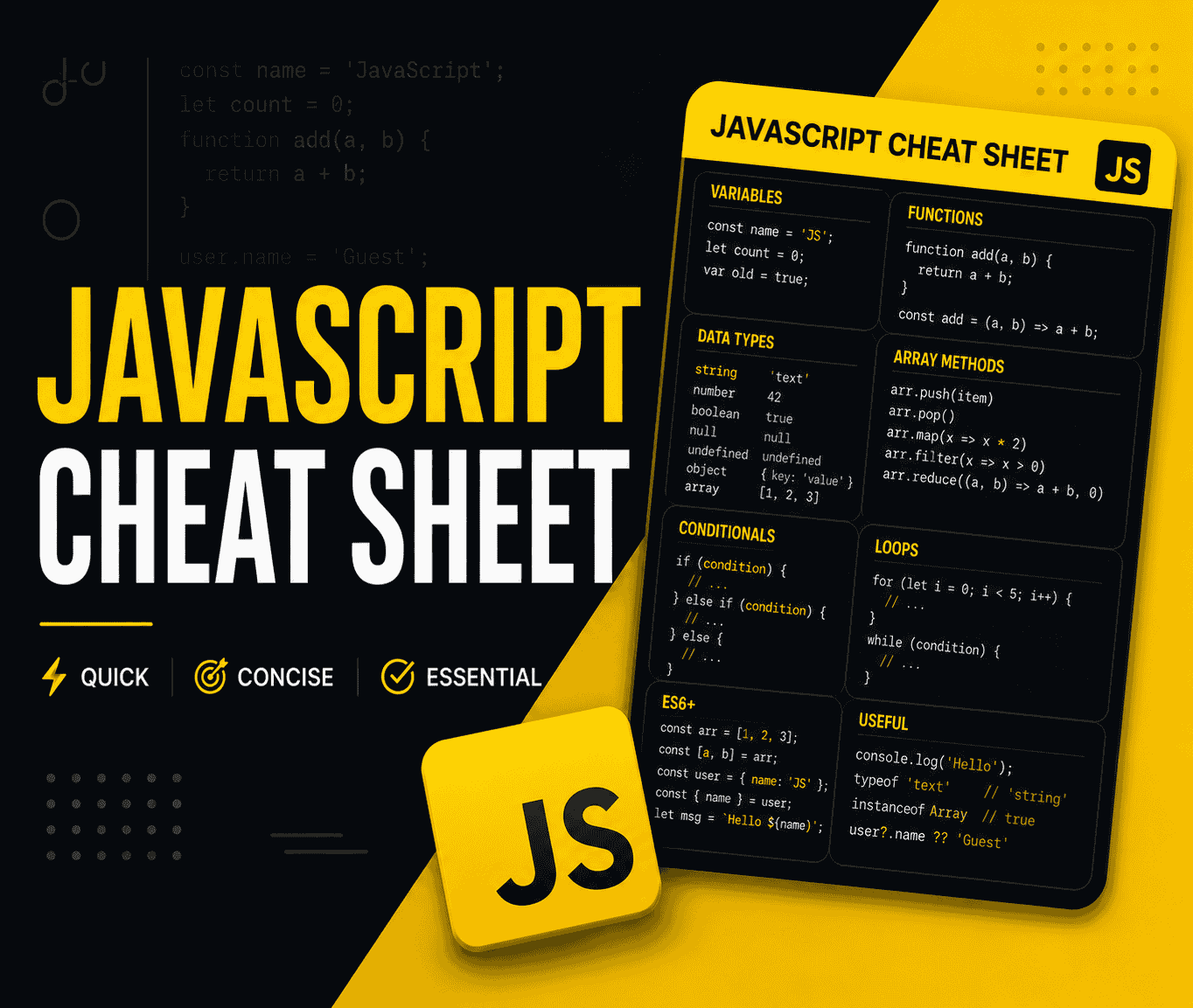
The Complete JavaScript Cheat Sheet 2026
Every essential JavaScript syntax, method, and pattern you need — from variables, arrays, and objects to async/await, closures, ES2026 features, and DOM manipulation. Clean, copy-paste-ready examples.
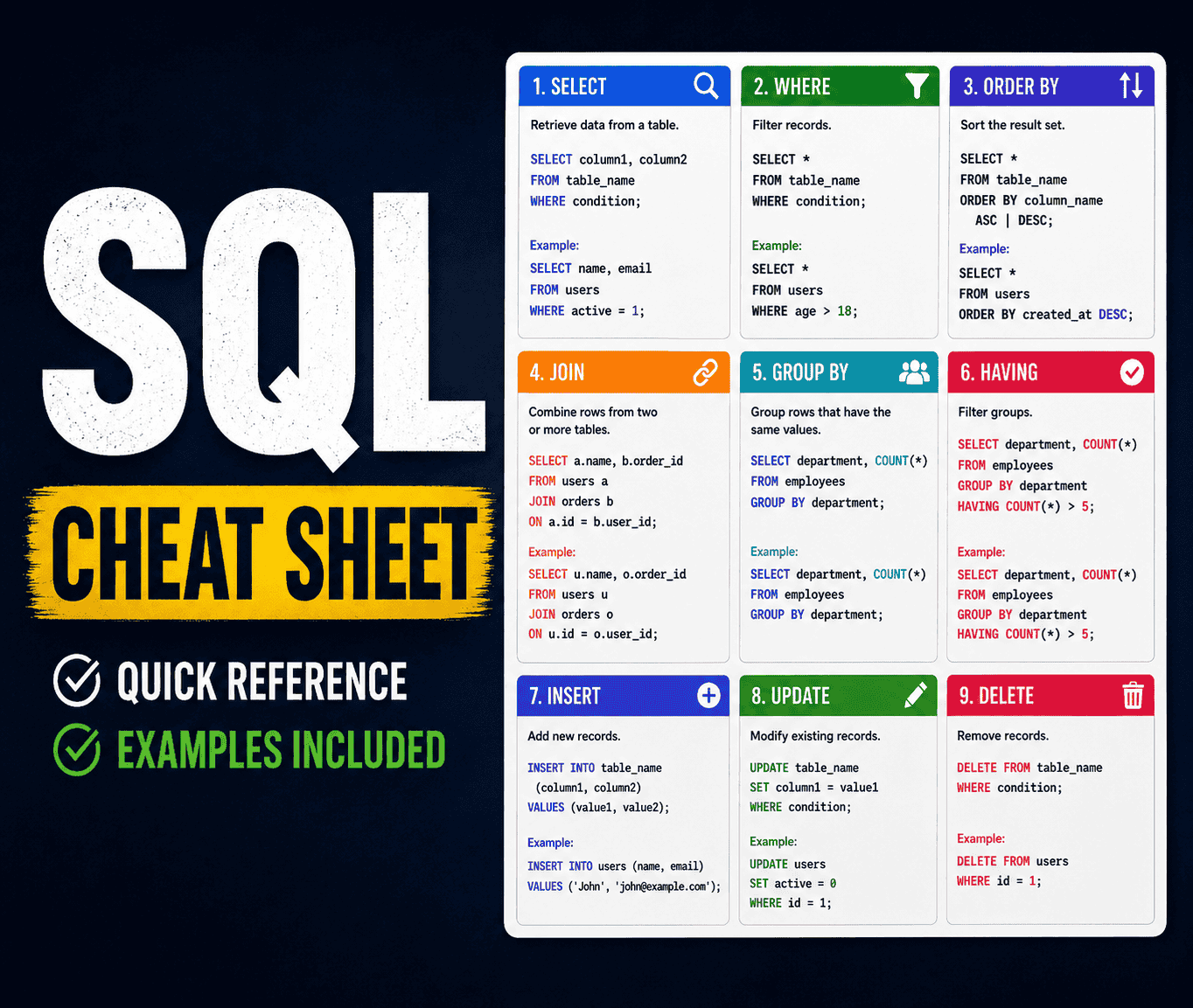
The Complete SQL Cheat Sheet 2026
Every SQL command, function, and pattern you need — from basic SELECT queries to advanced window functions, CTEs, indexes, and transactions. Clean, runnable examples for PostgreSQL, MySQL, and SQL Server.

Top 30 Most Asked System Design Interview Questions and Answers (2026 Edition)
Master the system design interview with this comprehensive guide covering load balancers, sharding, CAP theorem, and deep dives into 30 real-world design problems like WhatsApp, YouTube, and Uber.

Top 30 Most Asked SQL Interview Questions and Answers (2026 Edition)
Master the most asked SQL interview questions and answers for 2026. Covers Joins, CTEs, Window Functions, Normalization, ACID properties, and database design.