
Ace your next frontend interview with this comprehensive guide covering React hooks, the virtual DOM, state management, context, performance optimisation, and the latest React 19 concepts.
React is an open-source JavaScript library created by Facebook (Meta) for building user interfaces, particularly single-page applications. It lets you compose complex UIs from small, isolated pieces of code called components.
The Virtual DOM is a lightweight in-memory representation of the real DOM tree. When state changes, React re-renders the virtual DOM, diffs it against the previous snapshot (reconciliation), and applies only the minimal set of real DOM updates needed.
JSX (JavaScript XML) is a syntax extension that looks like HTML inside JavaScript. It is transpiled by Babel into React.createElement() calls at build time.
// JSX
const element = <h1 className="title">Hello, {name}!</h1>;

// What Babel compiles it to:
const element = React.createElement(
  "h1",
  { className: "title" },
  "Hello, ", name, "!"
);className instead of class.htmlFor instead of for.<img />, <br />.<> Fragment.React.createElement works without JSX. But JSX is strongly preferred for readability. Demonstrating you know what transpiles under the hood impresses interviewers.Both are valid ways to define React components, but functional components (with Hooks) are the modern standard.
// Class Component
class Counter extends React.Component {
  state = { count: 0 };
  increment = () => this.setState({ count: this.state.count + 1 });
  render() {
    return <button onClick={this.increment}>{this.state.count}</button>;
  }
}

// Functional Component (modern)
function Counter() {
  const [count, setCount] = React.useState(0);
  return <button onClick={() => setCount(count + 1)}>{count}</button>;
}getSnapshotBeforeUpdate — no hooks equivalent exists yet. Knowing this edge case earns big points.Props (properties) are read-only inputs passed from a parent component to a child component. They make components reusable and configurable.
// Parent
function App() {
  return <Greeting name="Alice" age={30} />;
}

// Child
function Greeting({ name, age }: { name: string; age: number }) {
  return <p>Hi {name}, you are {age} years old!</p>;
}

// Default props
function Button({ label = "Click me" }) {
  return <button>{label}</button>;
}State is mutable data managed inside a component. When state changes, React re-renders the component. Props are external and immutable from the child's view.
// State lives inside the component
function Toggle() {
  const [isOn, setIsOn] = React.useState(false);

  return (
    <button onClick={() => setIsOn(!isOn)}>
      {isOn ? "ON" : "OFF"}
    </button>
  );
}useState is the most fundamental React hook. It returns a state value and a setter function. Calling the setter triggers a re-render with the new value.
import { useState } from "react";

function Counter() {
  const [count, setCount] = useState(0);

  // Functional update — always use when new state depends on old state
  const increment = () => setCount(prev => prev + 1);

  return (
    <>
      <p>Count: {count}</p>
      <button onClick={increment}>+</button>
      <button onClick={() => setCount(0)}>Reset</button>
    </>
  );
}setState multiple times in one event handler?setCount(prev => prev + 1) to avoid stale closures.useEffect lets you perform side effects (data fetching, subscriptions, DOM mutations) after render. It runs after every render by default, but you can control it with a dependency array.
import { useState, useEffect } from "react";

function UserProfile({ userId }) {
  const [user, setUser] = useState(null);

  useEffect(() => {
    // runs after every render where userId changed
    fetch("/api/users/" + userId)
      .then(r => r.json())
      .then(setUser);

    // optional cleanup function
    return () => {
      // cancel subscriptions, timers, etc.
    };
  }, [userId]); // dependency array

  return user ? <p>{user.name}</p> : <p>Loading...</p>;
}

// [] — run once on mount
// [dep] — run when dep changes
// no array — run after every renderKeys help React identify which items have changed, been added, or removed during reconciliation. Without keys, React may re-render the entire list inefficiently or produce subtle bugs.
const items = [
  { id: 1, name: "Apple" },
  { id: 2, name: "Banana" },
  { id: 3, name: "Cherry" },
];

// ✅ Stable unique ID as key
function FruitList() {
  return (
    <ul>
      {items.map(item => (
        <li key={item.id}>{item.name}</li>
      ))}
    </ul>
  );
}

// ❌ Never use index as key when items can reorder/delete
{items.map((item, index) => <li key={index}>{item.name}</li>)}React lets you render different UI based on conditions using standard JavaScript operators.
function Status({ isLoggedIn, role }) {
  // if/else
  if (!isLoggedIn) return <LoginButton />;

  return (
    <div>
      {/* Ternary operator */}
      {role === "admin" ? <AdminPanel /> : <UserDashboard />}

      {/* Short-circuit && */}
      {role === "admin" && <DeleteButton />}

      {/* Nullish coalescing — render nothing */}
      {null}
      {undefined}
      {false}
    </div>
  );
}0 && accidentally render the number 0?0 is falsy but React renders it as the string "0". Use !!count && ... or count > 0 && ... to avoid this common pitfall.React wraps native browser events in a SyntheticEvent — a cross-browser wrapper. Event handlers are passed as camelCase props.
function Form() {
  const handleSubmit = (e: React.FormEvent) => {
    e.preventDefault(); // prevent page reload
    console.log("Submitted!");
  };

  const handleChange = (e: React.ChangeEvent<HTMLInputElement>) => {
    console.log(e.target.value);
  };

  return (
    <form onSubmit={handleSubmit}>
      <input onChange={handleChange} />
      <button type="submit">Submit</button>
    </form>
  );
}null event, this is why — store e.target.value in a variable first.In a controlled component, the form element's value is driven by React state. In an uncontrolled component, the DOM manages its own state and you read it via a ref.
// Controlled — React owns the value
function ControlledInput() {
  const [value, setValue] = useState("");
  return (
    <input
      value={value}
      onChange={e => setValue(e.target.value)}
    />
  );
}

// Uncontrolled — DOM owns the value
function UncontrolledInput() {
  const inputRef = useRef<HTMLInputElement>(null);
  const handleSubmit = () => {
    console.log(inputRef.current?.value);
  };
  return <input ref={inputRef} defaultValue="hello" />;
}<input type="file" />) where reading the value on submit is sufficient. For validation and dynamic forms, controlled is almost always better.Context provides a way to share data across the component tree without passing props manually at every level (prop drilling). Best for global data: theme, locale, auth state.
import { createContext, useContext, useState } from "react";

const ThemeContext = createContext<"light" | "dark">("light");

function App() {
  const [theme, setTheme] = useState<"light" | "dark">("light");
  return (
    <ThemeContext.Provider value={theme}>
      <Toolbar />
      <button onClick={() => setTheme(t => t === "light" ? "dark" : "light")}>
        Toggle
      </button>
    </ThemeContext.Provider>
  );
}

// Any nested component can consume it
function ThemedButton() {
  const theme = useContext(ThemeContext);
  return <button className={theme}>Themed Button</button>;
}useRef returns a mutable object whose .current property persists across renders without triggering re-renders. It is used for two main purposes: directly accessing DOM nodes, and storing mutable values that should not trigger re-renders.
import { useRef, useEffect } from "react";

// 1. DOM access — focus an input on mount
function AutoFocusInput() {
  const inputRef = useRef<HTMLInputElement>(null);
  useEffect(() => { inputRef.current?.focus(); }, []);
  return <input ref={inputRef} />;
}

// 2. Storing a mutable value (e.g., interval ID)
function Timer() {
  const intervalRef = useRef<NodeJS.Timeout | null>(null);

  const start = () => {
    intervalRef.current = setInterval(() => console.log("tick"), 1000);
  };
  const stop = () => {
    if (intervalRef.current) clearInterval(intervalRef.current);
  };

  return <><button onClick={start}>Start</button><button onClick={stop}>Stop</button></>;
}useRef and a module-level variable?useRef is instance-specific — each component instance gets its own ref. Always use useRef for per-instance mutable state.useReducer is an alternative to useState for managing complex state logic or when the next state depends on the previous one. It follows the Redux pattern.
import { useReducer } from "react";

type State = { count: number; step: number };
type Action = { type: "increment" | "decrement" | "setStep"; payload?: number };

function reducer(state: State, action: Action): State {
  switch (action.type) {
    case "increment": return { ...state, count: state.count + state.step };
    case "decrement": return { ...state, count: state.count - state.step };
    case "setStep":   return { ...state, step: action.payload ?? 1 };
    default: return state;
  }
}

function Counter() {
  const [state, dispatch] = useReducer(reducer, { count: 0, step: 1 });
  return (
    <>
      <p>Count: {state.count}</p>
      <button onClick={() => dispatch({ type: "increment" })}>+</button>
      <button onClick={() => dispatch({ type: "decrement" })}>−</button>
    </>
  );
}useReducer over useState?useReducer when: (1) next state depends on previous state in complex ways, (2) you have multiple sub-values, or (3) you want to centralise state transitions for easier testing.useMemo memoizes the result of an expensive computation, recomputing it only when dependencies change.
import { useMemo } from "react";

function ProductList({ products, filterText }) {
  // Without useMemo, this runs on every render
  const filtered = useMemo(
    () =>
      products.filter(p =>
        p.name.toLowerCase().includes(filterText.toLowerCase())
      ),
    [products, filterText] // only re-run when these change
  );

  return <ul>{filtered.map(p => <li key={p.id}>{p.name}</li>)}</ul>;
}useMemo guarantee no re-computation?useCallback memoizes a function reference so it is stable across renders. useMemo memoizes a computed value.
import { useState, useCallback, memo } from "react";

// Without useCallback, this creates a new function on every render,
// causing the memoized child to re-render unnecessarily.
function Parent() {
  const [count, setCount] = useState(0);

  const handleClick = useCallback(() => {
    console.log("Button clicked");
  }, []); // stable reference — no deps that change

  return (
    <>
      <p>{count}</p>
      <button onClick={() => setCount(c => c + 1)}>Increment</button>
      <MemoChild onClick={handleClick} />
    </>
  );
}

const MemoChild = memo(function Child({ onClick }) {
  console.log("Child rendered");
  return <button onClick={onClick}>Child Button</button>;
});useCallback(fn, []) always better than inline functions?useCallback is only beneficial when the function is passed to a memo-wrapped child or used as a useEffect dependency. For inline event handlers, the overhead of the hook itself can outweigh the benefit.A custom hook is a JavaScript function whose name starts with use that calls other hooks. It lets you extract and reuse stateful logic across components.
// useFetch.ts — reusable data fetching hook
import { useState, useEffect } from "react";

function useFetch<T>(url: string) {
  const [data, setData] = useState<T | null>(null);
  const [loading, setLoading] = useState(true);
  const [error, setError] = useState<Error | null>(null);

  useEffect(() => {
    let cancelled = false;
    setLoading(true);
    fetch(url)
      .then(r => r.json())
      .then(d => { if (!cancelled) { setData(d); setLoading(false); } })
      .catch((e: Error) => { if (!cancelled) { setError(e); setLoading(false); } });
    return () => { cancelled = true; };
  }, [url]);

  return { data, loading, error };
}

// Usage
function Users() {
  const { data, loading } = useFetch<User[]>("/api/users");
  if (loading) return <p>Loading...</p>;
  return <ul>{data?.map(u => <li key={u.id}>{u.name}</li>)}</ul>;
}eslint-plugin-react-hooks linter enforces this automatically.React.memo is a higher-order component that memoizes a functional component's output. It skips re-rendering if props have not changed (shallow comparison).
import { memo, useState } from "react";

// This child only re-renders when 'name' prop changes
const UserCard = memo(function UserCard({ name }: { name: string }) {
  console.log("UserCard rendered for", name);
  return <div>{name}</div>;
});

function App() {
  const [count, setCount] = useState(0);
  return (
    <>
      <button onClick={() => setCount(c => c + 1)}>Count: {count}</button>
      <UserCard name="Alice" /> {/* Does NOT re-render on count change */}
    </>
  );
}React.memo, useMemo, and useCallback?React.memo wraps a component. useMemo memoizes a value. useCallback memoizes a function. They are often used together — memo a child, useCallback the handler passed to it.When two sibling components need to share state, you lift the state up to their closest common ancestor and pass it down as props.
function App() {
  const [input, setInput] = useState("");

  return (
    <>
      {/* Both siblings share the same state */}
      <SearchInput value={input} onChange={setInput} />
      <SearchResults query={input} />
    </>
  );
}

function SearchInput({ value, onChange }) {
  return <input value={value} onChange={e => onChange(e.target.value)} />;
}

function SearchResults({ query }) {
  // renders results based on shared query
  return <ul>{/* ... filtered results ... */}</ul>;
}With Hooks, the lifecycle phases map to useEffect patterns:
useEffect(() => { ... }, []) — runs once after first render.useEffect(() => { ... }, [dep]) — runs when dep changes.useEffect.useEffect(() => {
// componentDidMount + componentDidUpdate equivalent
const subscription = subscribe(userId);
return () => {
// componentWillUnmount equivalent
subscription.unsubscribe();
};
}, [userId]);componentDidMount exactly with hooks?Prop drilling is the pattern of passing props through many intermediate components just to reach a deeply nested child that needs the data.
// ❌ Prop drilling — theme passed through 3 unnecessary layers
<App theme="dark">
  <Layout theme="dark">
    <Sidebar theme="dark">
      <MenuItem theme="dark" /> {/* only this needs it */}
    </Sidebar>
  </Layout>
</App>

// ✅ Solutions:
// 1. Context API — for global/shared data
// 2. Component composition — pass children directly
// 3. State management — Zustand, Redux, Jotai
// 4. Component colocation — move state closer to consumerError Boundaries are class components that catch JavaScript errors anywhere in their child component tree and display a fallback UI instead of crashing the whole app.
class ErrorBoundary extends React.Component {
  state = { hasError: false };

  static getDerivedStateFromError(error) {
    return { hasError: true };
  }

  componentDidCatch(error, info) {
    console.error(error, info.componentStack);
  }

  render() {
    if (this.state.hasError) {
      return <h2>Something went wrong.</h2>;
    }
    return this.props.children;
  }
}

// Usage
<ErrorBoundary>
  <MyWidget />
</ErrorBoundary><ErrorBoundary FallbackComponent={...}>) and is widely used in production.Code splitting breaks a large bundle into smaller chunks loaded on demand, reducing the initial page load. React provides React.lazy and Suspense for this.
import { lazy, Suspense } from "react";

// The component is loaded only when rendered for the first time
const HeavyChart = lazy(() => import("./HeavyChart"));

function Dashboard() {
  return (
    <Suspense fallback={<p>Loading chart...</p>}>
      <HeavyChart />
    </Suspense>
  );
}

// Route-based splitting (React Router v6)
const Settings = lazy(() => import("./pages/Settings"));
<Route path="/settings" element={
  <Suspense fallback={<Spinner />}><Settings /></Suspense>
} />Portals let you render a child component into a different DOM node outside its parent hierarchy — while preserving the React event bubbling tree.
import { createPortal } from "react-dom";

function Modal({ children, isOpen }) {
  if (!isOpen) return null;

  // Renders into document.body, not the parent div
  return createPortal(
    <div className="modal-overlay">
      <div className="modal-content">{children}</div>
    </div>,
    document.body
  );
}

// Events from inside the portal still bubble through
// the React component tree, not the DOM tree.document.body?Reconciliation is the process React uses to diff the new virtual DOM tree against the previous one and compute the minimal set of real DOM updates.
// Same type — React updates props, keeps DOM node
<div className="old" /> → <div className="new" />
// Result: className attribute updated, node kept

// Different type — React unmounts old, mounts new
<div /> → <span />
// Result: old div destroyed, new span createdConcurrent React (React 18) allows React to prepare multiple versions of the UI simultaneously and interrupt rendering to keep the UI responsive. useTransition marks state updates as non-urgent.
import { useState, useTransition } from "react";

function Search() {
  const [query, setQuery] = useState("");
  const [results, setResults] = useState([]);
  const [isPending, startTransition] = useTransition();

  const handleChange = (e) => {
    // Urgent: update the input immediately
    setQuery(e.target.value);

    // Non-urgent: defer the expensive search update
    startTransition(() => {
      setResults(expensiveSearch(e.target.value));
    });
  };

  return (
    <>
      <input value={query} onChange={handleChange} />
      {isPending ? <Spinner /> : <ResultList results={results} />}
    </>
  );
}useTransition and useDeferredValue?useTransition wraps the state update. useDeferredValue wraps the value — useful when you don't control the state setter (e.g. it comes from a prop).React Server Components (RSC) are components that run exclusively on the server. They have zero JavaScript bundle size on the client, can access databases directly, and cannot use state or browser APIs.
async/await directly.'use client', run in browser, can use hooks & events.// app/page.tsx — Server Component (default in Next.js App Router)
async function ProductPage({ params }) {
// Direct DB access — no API call needed!
const product = await db.product.findUnique({ where: { id: params.id } });
return (
<div>
<h1>{product.name}</h1>
{/* Pass data to a client component for interactivity */}
<AddToCartButton productId={product.id} />
</div>
);
}
// add-to-cart-button.tsx
"use client";
function AddToCartButton({ productId }) {
return <button onClick={() => addToCart(productId)}>Add to Cart</button>;
}'use client' directive marks the boundary. Client components can import other client components, but server components cannot import client components as children (they can receive them as props though).Beyond Context + useReducer, these are the most commonly used state management solutions:
// Zustand — minimal global store
import { create } from "zustand";

const useStore = create((set) => ({
  count: 0,
  increment: () => set(state => ({ count: state.count + 1 })),
}));

function Counter() {
  const { count, increment } = useStore();
  return <button onClick={increment}>{count}</button>;
}React performance optimisation operates at multiple levels:
React.memo, useMemo, useCallback to skip unnecessary work.React.lazy + Suspense for smaller initial bundles.react-window or TanStack Virtual.useTransition, useDeferredValue for UI responsiveness.// ❌ New object reference every render — defeats memo
<Component style={{ margin: 10 }} />
// ✅ Stable reference
const STYLE = { margin: 10 };
<Component style={STYLE} />
// Virtualise large lists
import { FixedSizeList } from "react-window";
<FixedSizeList height={500} itemCount={10000} itemSize={35}>
{Row}
</FixedSizeList>web-vitals to measure LCP, CLS, and INP. Always measure before optimising — premature optimisation is the root of all evil.| Topic | Key Takeaway |
|---|---|
| Virtual DOM | Lightweight copy; React diffs old vs new to minimise real DOM updates. |
| useState | Triggers re-render; use functional update form for state that depends on prev value. |
| useEffect | Side effects after render; cleanup function prevents memory leaks. |
| useRef | Mutable container that persists across renders without triggering re-renders. |
| useMemo / useCallback | Memoize values / functions — only beneficial when passed to memo-wrapped children. |
| Context | Avoids prop drilling; splits by update frequency to prevent unnecessary re-renders. |
| React.memo | Skips re-render if props unchanged (shallow comparison). |
| Reconciliation | Same type → update props; different type → remount; stable keys → match list items. |
| Error Boundary | Class component; catches errors and shows fallback UI. Use react-error-boundary library. |
| RSC | Server Components run on server only — direct DB access, zero client JS. |
Know the 'why' behind hooks
Don't just describe what a hook does — explain the problem it solves over class components.
Demonstrate performance awareness
Proactively mention memoisation, virtualisation, and code splitting.
Understand the data flow
React is unidirectional. Knowing when to lift state or use context shows architectural maturity.
Build a live mini-project
Interviewers often ask you to build a search box, todo list, or async data component on the spot.
Stay current on React 18/19
Mention Concurrent Mode, useTransition, Server Components — they signal you follow the ecosystem.
Code clean, readable components
Use descriptive prop names, separate concerns, and avoid deeply nested JSX.
Master hooks, the virtual DOM, reconciliation, and React's concurrent model to confidently tackle any React interview in 2026. The key is understanding the why behind each API — not just the syntax.
📚 Also Study
Md Rashid
Software engineer and career coach with 6+ years in the tech industry. Writes about interview prep, developer careers, and tech job markets.
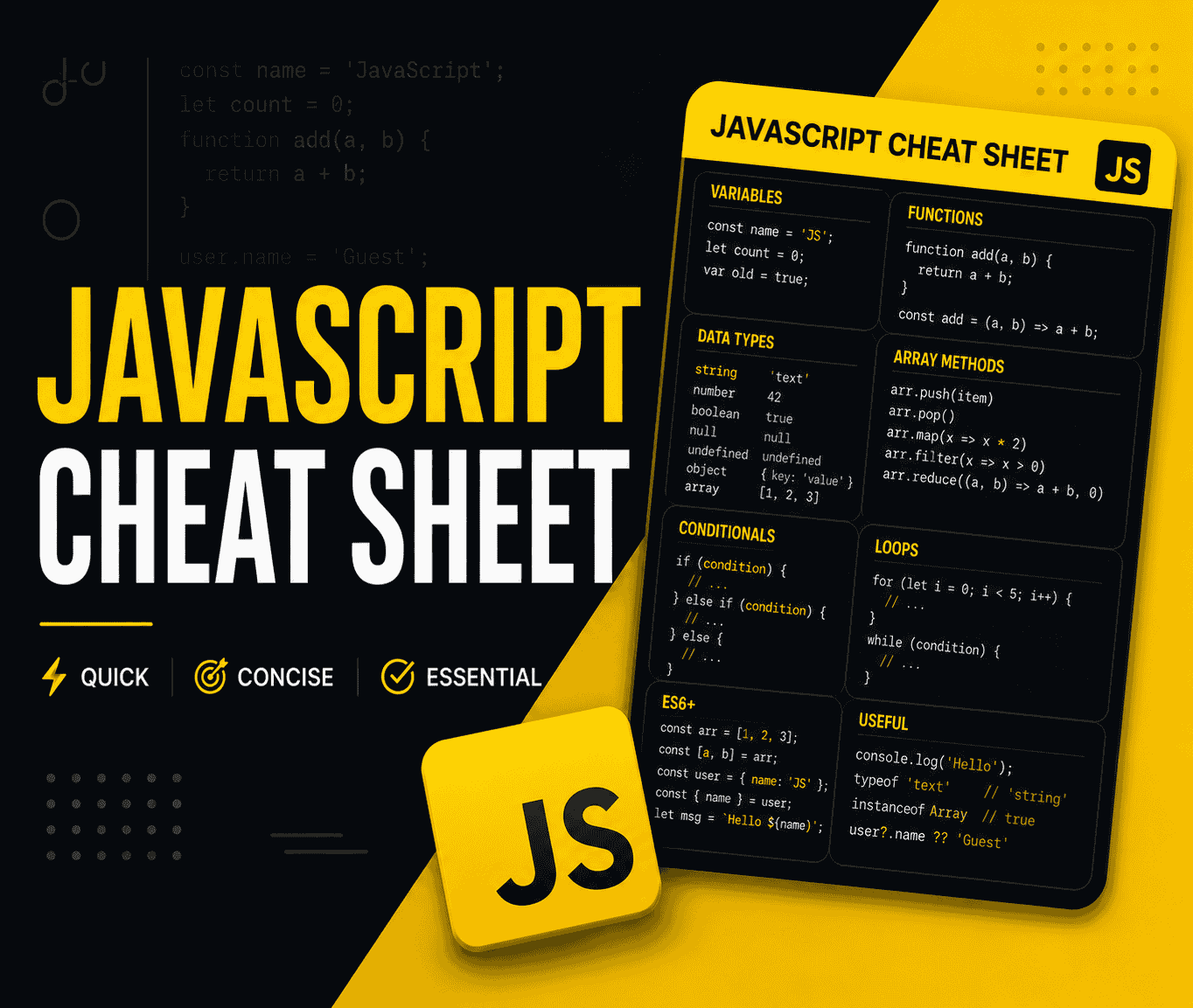
The Complete JavaScript Cheat Sheet 2026
Every essential JavaScript syntax, method, and pattern you need — from variables, arrays, and objects to async/await, closures, ES2026 features, and DOM manipulation. Clean, copy-paste-ready examples.

Top 30 Most Asked JavaScript Interview Questions and Answers (2026 Edition)
Ace your next frontend interview with this comprehensive guide covering closures, the event loop, promises, async/await, prototypes, ES6 features, and 24 more must-know JavaScript concepts.

Top 30 Node.js Interview Questions and Answers (2026 Edition)
Ace your next backend interview with this comprehensive guide covering the event loop, streams, clustering, async/await, Express.js, JWT authentication, caching, rate limiting, and graceful shutdown.
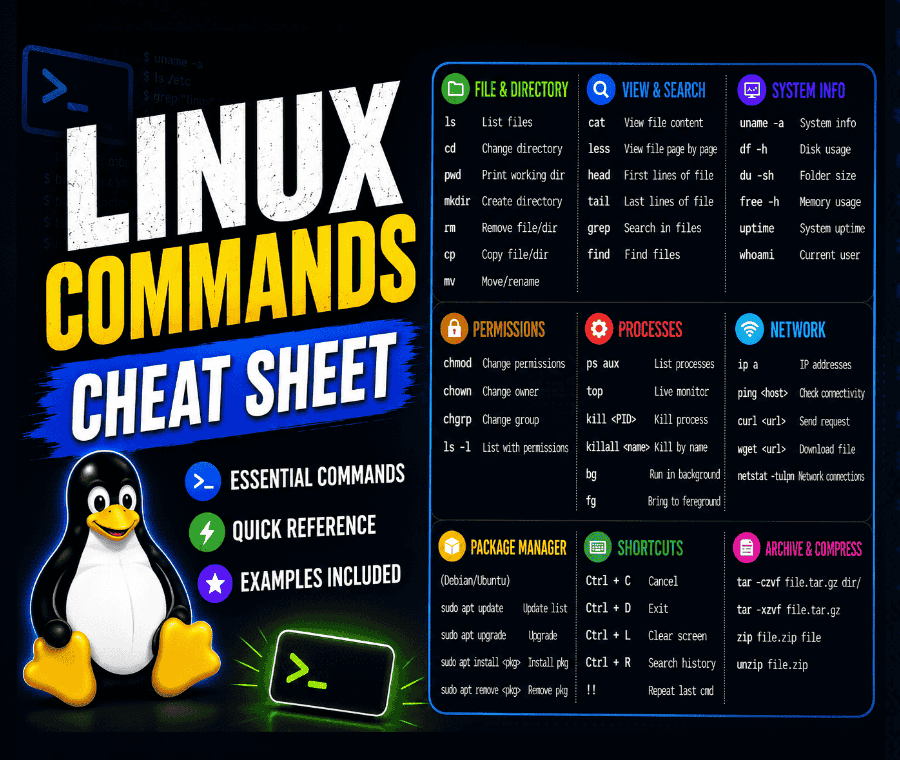
The Complete Linux Commands Cheat Sheet 2026
Every essential Linux command defined with clean, practical examples. Covers file navigation, system monitoring, user permissions, networking, package management, and shell scripting.